 USD
USD EUR
EUR GBP
GBP CAD
CAD AUD
AUD HKD
HKD JPY
JPY KRW
KRW SGD
SGD NZD
NZD THB
THB TWD
TWD 繁體中文
繁體中文 日本語
日本語 한국어
한국어 Français
 Español
 Nederlands
 English

By GetMax TV Box | 24 July 2026 | 0 Comments
GetMax G12 Review: Unboxing, Setup & Everything You Need to Know
Android TV boxes have become one of the easiest ways to enjoy streaming content, live TV, and multimedia on any television. Among the many options available, the GetMax G12 stands out with modern hardware, Android 12, Wi-Fi 6, and support for 8K video playback.
In this review, we'll take a closer look at what's included in the box, the setup process, key features, and the overall user experience.
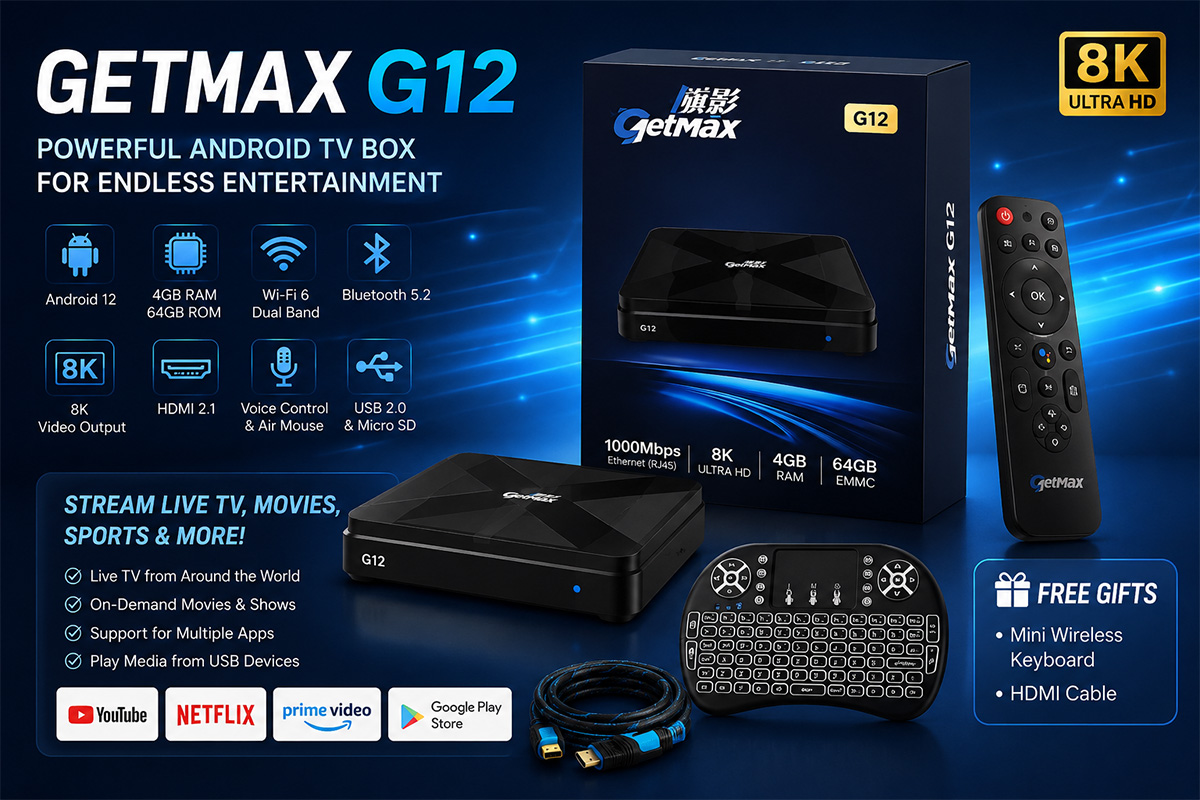
What's Included in the Box?
The GetMax G12 comes with everything needed to get started:
GetMax G12 Android TV Box
Bluetooth Voice Remote Control
HDMI Cable
5V/2A Power Adapter
User Manual
Wireless Mini Keyboard (Free Gift)
The addition of a wireless mini keyboard makes navigating apps and entering text much easier than using a standard remote.
GetMax G12 Specifications
The GetMax G12 is powered by Android 12 and features hardware designed for smooth streaming and multimedia playback.
Key Specifications
Android 12 Operating System
Quad-Core Cortex-A53 Processor
4GB RAM
64GB Internal Storage
Wi-Fi 6
Bluetooth 5.2
HDMI 2.1
8K Video Output
HEVC (H.265) Hardware Decoding
Voice Control Support
With these specifications, the device is capable of handling 4K and 8K video playback while providing a responsive user experience.
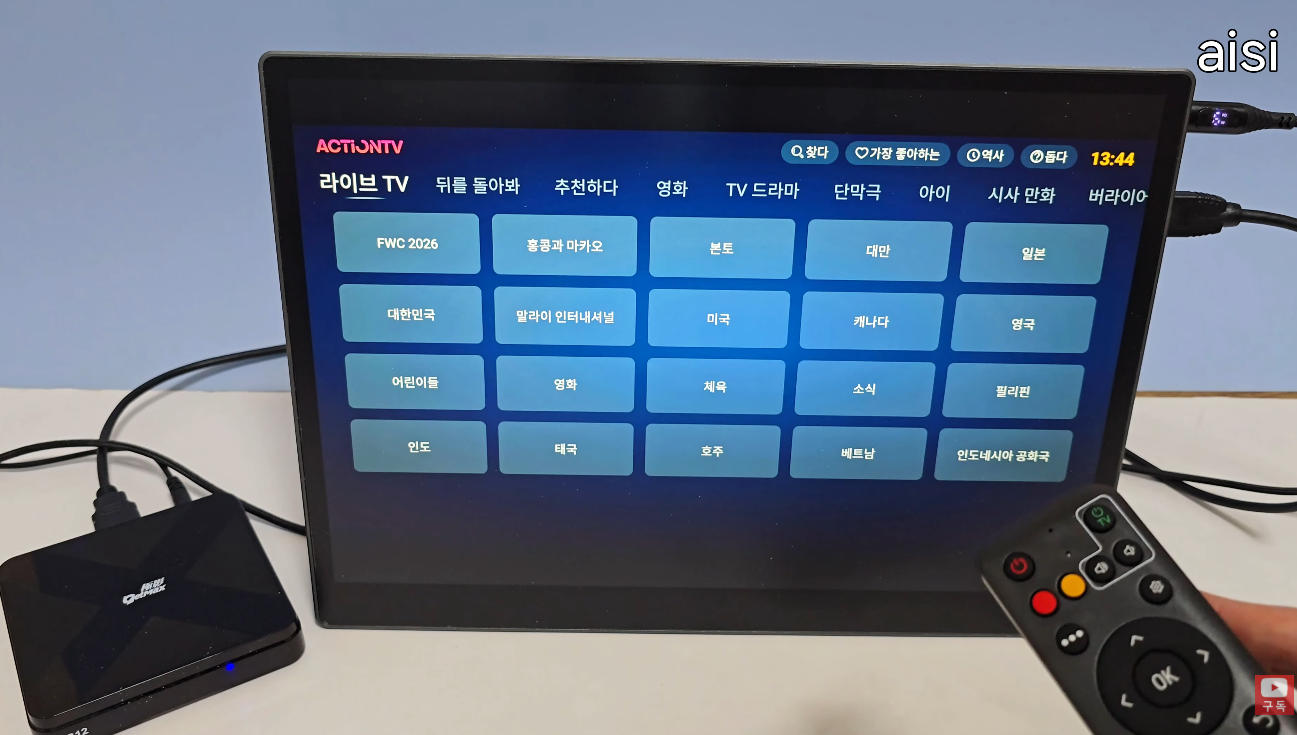
Design and Connectivity
The GetMax G12 features a compact, minimalist design that fits easily into any entertainment setup.
Available ports include:
2 × USB 2.0 Ports
Micro SD Card Slot
HDMI Output
Optical Audio Output
RJ45 Ethernet Port
AV Output
DC Power Input
Ventilation holes on the bottom help improve heat dissipation during extended use.
Initial Setup
Setting up the GetMax G12 is straightforward.
Simply connect:
HDMI cable to your TV or monitor
Power adapter
Internet connection via Wi-Fi or Ethernet
When powering on for the first time, you'll be prompted to:
Pair the Bluetooth remote
Select your language
Choose your time zone
Connect to Wi-Fi
Complete the initial setup
Within just a few minutes, the device is ready to use.
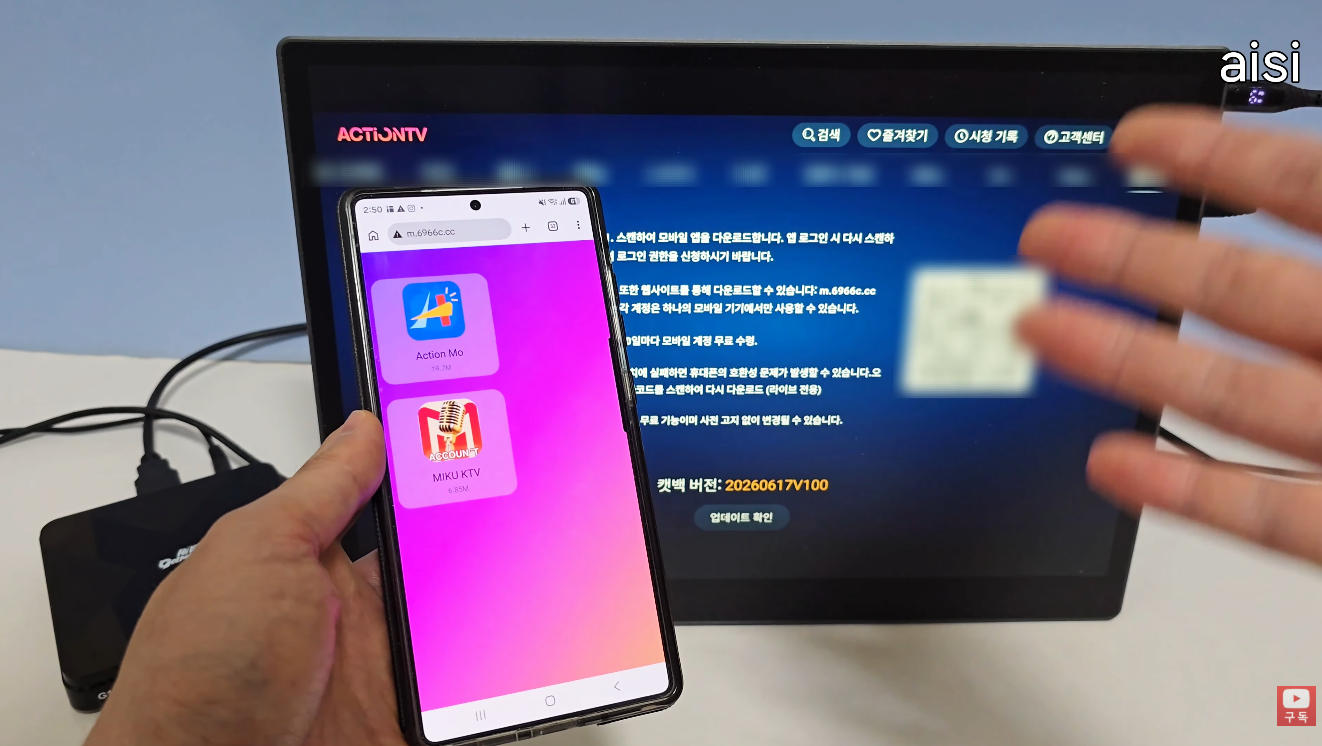
Easy Navigation with Voice Remote
The included Bluetooth remote supports:
Voice Search
Air Mouse Function
Shortcut Buttons
Comfortable Navigation
The Air Mouse feature allows you to control an on-screen cursor simply by moving the remote, making web browsing and app navigation much easier.
Voice search also works smoothly after granting microphone permission.
Android 12 Experience
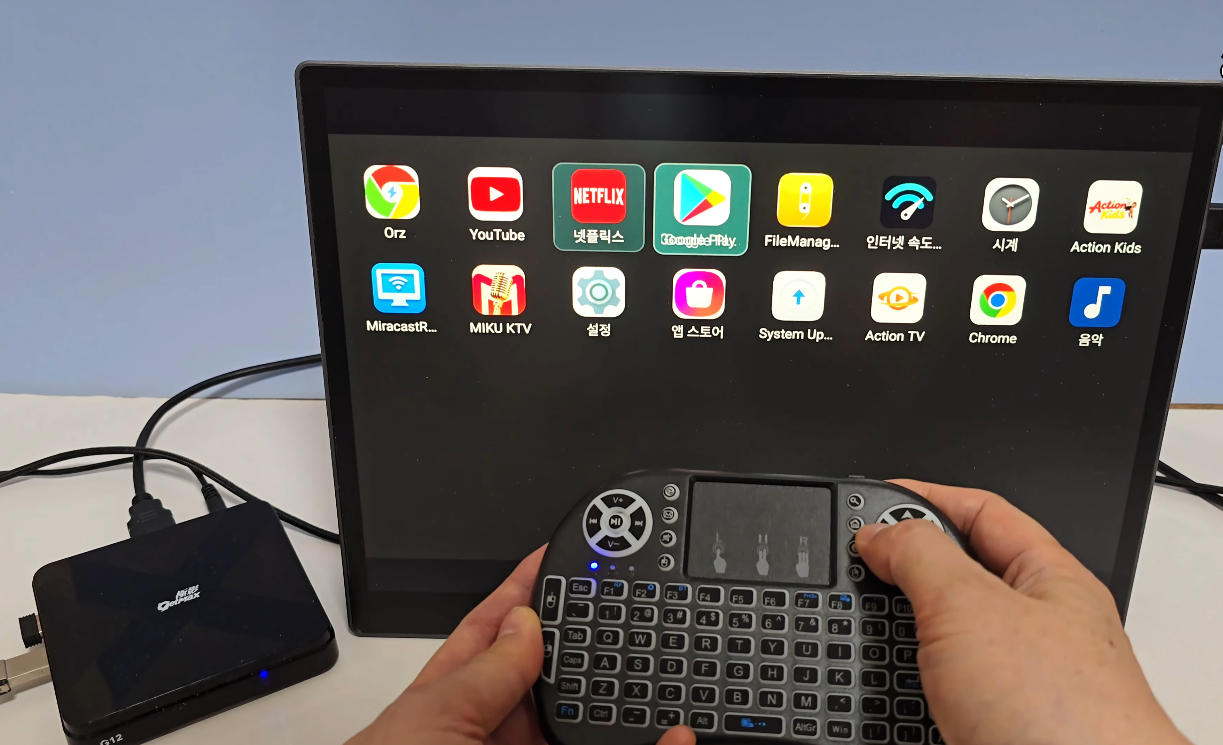
The GetMax G12 runs Android 12, providing a clean and responsive interface.
Users can access:
Settings
Browser
App Store
File Manager
Internet Speed Test
Installed Applications
Since it's based on Android, users can install additional compatible applications according to their needs.
Live TV and Streaming Features
One of the biggest highlights of the GetMax G12 is its live TV functionality.
After installing the recommended applications, users can access a wide range of live television channels from multiple countries.
This makes the device particularly useful for:
Overseas viewers wanting to watch programs from their home country
International news followers
Sports fans
Language learners interested in watching native-language broadcasts
The large variety of available content gives users far more viewing options than traditional streaming devices.
Mobile Viewing Support
Another convenient feature is mobile viewing.
By scanning the QR code displayed within the application's information section and signing in with the provided account credentials, users can access supported live TV content directly on their Android smartphones or tablets.
This allows you to continue watching even when you're away from your television.
USB Media Playback
The built-in File Manager makes local media playback simple.
After connecting a USB drive, users can:
Browse photos
Watch videos
Open stored files
This effectively turns the GetMax G12 into a versatile media player for both streaming and offline content.
Wireless Mini Keyboard
The complimentary wireless mini keyboard greatly improves the overall experience.
It provides:
Mouse control
Left and right click buttons
Scroll wheel
Physical keyboard input
Typing search terms or website addresses is significantly faster compared to using the remote alone.
The keyboard currently supports English input, making it especially useful for navigating apps and web browsing.
Performance
During testing, the GetMax G12 performed smoothly throughout the setup process.
Applications launched quickly, the interface remained responsive, Wi-Fi connectivity was stable, and video playback was smooth. Voice search, Air Mouse functionality, and USB media playback all worked as expected.
Overall, the hardware is well suited for everyday entertainment and multimedia use.
Pros
Android 12 operating system
4GB RAM + 64GB storage
Wi-Fi 6 and Bluetooth 5.2
Supports up to 8K video output
HDMI 2.1 connectivity
Voice remote with Air Mouse
USB media playback
Expandable storage via Micro SD
Wireless mini keyboard included
Easy installation and setup
Final Verdict
The GetMax G12 offers an excellent combination of modern hardware, user-friendly software, and versatile entertainment features. With Android 12, Wi-Fi 6, 4GB RAM, and 64GB of storage, it delivers smooth performance for everyday streaming, media playback, and app usage.
The included voice remote, Air Mouse functionality, USB media support, and complimentary wireless keyboard add even more value, making the overall experience more convenient than many standard Android TV boxes.
If you're looking for an Android TV box that combines strong performance, simple setup, and access to a wide variety of entertainment options, the GetMax G12 is a solid choice.
Looking for an affordable streaming solution? The GetMax G12 offers powerful hardware, generous storage, and a complete accessory package, making it an excellent option for users who want a versatile Android TV box for home entertainment.
In this review, we'll take a closer look at what's included in the box, the setup process, key features, and the overall user experience.
What's Included in the Box?
The GetMax G12 comes with everything needed to get started:
GetMax G12 Android TV Box
Bluetooth Voice Remote Control
HDMI Cable
5V/2A Power Adapter
User Manual
Wireless Mini Keyboard (Free Gift)
The addition of a wireless mini keyboard makes navigating apps and entering text much easier than using a standard remote.
GetMax G12 Specifications
The GetMax G12 is powered by Android 12 and features hardware designed for smooth streaming and multimedia playback.
Key Specifications
Android 12 Operating System
Quad-Core Cortex-A53 Processor
4GB RAM
64GB Internal Storage
Wi-Fi 6
Bluetooth 5.2
HDMI 2.1
8K Video Output
HEVC (H.265) Hardware Decoding
Voice Control Support
With these specifications, the device is capable of handling 4K and 8K video playback while providing a responsive user experience.
Design and Connectivity
The GetMax G12 features a compact, minimalist design that fits easily into any entertainment setup.
Available ports include:
2 × USB 2.0 Ports
Micro SD Card Slot
HDMI Output
Optical Audio Output
RJ45 Ethernet Port
AV Output
DC Power Input
Ventilation holes on the bottom help improve heat dissipation during extended use.
Initial Setup
Setting up the GetMax G12 is straightforward.
Simply connect:
HDMI cable to your TV or monitor
Power adapter
Internet connection via Wi-Fi or Ethernet
When powering on for the first time, you'll be prompted to:
Pair the Bluetooth remote
Select your language
Choose your time zone
Connect to Wi-Fi
Complete the initial setup
Within just a few minutes, the device is ready to use.
Easy Navigation with Voice Remote
The included Bluetooth remote supports:
Voice Search
Air Mouse Function
Shortcut Buttons
Comfortable Navigation
The Air Mouse feature allows you to control an on-screen cursor simply by moving the remote, making web browsing and app navigation much easier.
Voice search also works smoothly after granting microphone permission.
Android 12 Experience
The GetMax G12 runs Android 12, providing a clean and responsive interface.
Users can access:
Settings
Browser
App Store
File Manager
Internet Speed Test
Installed Applications
Since it's based on Android, users can install additional compatible applications according to their needs.
Live TV and Streaming Features
One of the biggest highlights of the GetMax G12 is its live TV functionality.
After installing the recommended applications, users can access a wide range of live television channels from multiple countries.
This makes the device particularly useful for:
Overseas viewers wanting to watch programs from their home country
International news followers
Sports fans
Language learners interested in watching native-language broadcasts
The large variety of available content gives users far more viewing options than traditional streaming devices.
Mobile Viewing Support
Another convenient feature is mobile viewing.
By scanning the QR code displayed within the application's information section and signing in with the provided account credentials, users can access supported live TV content directly on their Android smartphones or tablets.
This allows you to continue watching even when you're away from your television.
USB Media Playback
The built-in File Manager makes local media playback simple.
After connecting a USB drive, users can:
Browse photos
Watch videos
Open stored files
This effectively turns the GetMax G12 into a versatile media player for both streaming and offline content.
Wireless Mini Keyboard
The complimentary wireless mini keyboard greatly improves the overall experience.
It provides:
Mouse control
Left and right click buttons
Scroll wheel
Physical keyboard input
Typing search terms or website addresses is significantly faster compared to using the remote alone.
The keyboard currently supports English input, making it especially useful for navigating apps and web browsing.
Performance
During testing, the GetMax G12 performed smoothly throughout the setup process.
Applications launched quickly, the interface remained responsive, Wi-Fi connectivity was stable, and video playback was smooth. Voice search, Air Mouse functionality, and USB media playback all worked as expected.
Overall, the hardware is well suited for everyday entertainment and multimedia use.
Pros
Android 12 operating system
4GB RAM + 64GB storage
Wi-Fi 6 and Bluetooth 5.2
Supports up to 8K video output
HDMI 2.1 connectivity
Voice remote with Air Mouse
USB media playback
Expandable storage via Micro SD
Wireless mini keyboard included
Easy installation and setup
Final Verdict
The GetMax G12 offers an excellent combination of modern hardware, user-friendly software, and versatile entertainment features. With Android 12, Wi-Fi 6, 4GB RAM, and 64GB of storage, it delivers smooth performance for everyday streaming, media playback, and app usage.
The included voice remote, Air Mouse functionality, USB media support, and complimentary wireless keyboard add even more value, making the overall experience more convenient than many standard Android TV boxes.
If you're looking for an Android TV box that combines strong performance, simple setup, and access to a wide variety of entertainment options, the GetMax G12 is a solid choice.
Looking for an affordable streaming solution? The GetMax G12 offers powerful hardware, generous storage, and a complete accessory package, making it an excellent option for users who want a versatile Android TV box for home entertainment.


